How would you like to create your free electronic signature?
Upload a document and electronically sign it for free. Sign MS Word, PDF, images, and more. Secure and eSignature compliant
Create an electronic signature by drawing with your mouse, phone, tablet, or other mobile device. Download your signature as a PNG/JPG image

trusted by more than 65,000 businesses
Free electronic signature software versus printing and signing
Here's how SignWell compares to the "manual method" of signing documents.

Online signature maker and generator tool
Want a fast, easy way to create an electronic signature? You should try SignWell
If you’re tired of printing, scanning, or struggling with clunky tools, SignWell makes electronic signing effortless. Every signature created with SignWell is legally binding and compliant with U.S. and international eSignature laws (ESIGN, UETA, and eIDAS).
Getting started takes just a few clicks. Upload your file, drag and drop your signature, and send it off, no software installs or hidden fees. You can also track progress, share documents, and get instant approvals to keep your workflow moving.
Teams that switch to SignWell see turnaround times cut by 60% or more, helping them close deals and finalize approvals faster.
I was searching for an affordable simple system to upload and send agreements to clients. SignWell was quite simply the easiest to use and allowed me to get exactly what I wanted without having to pay for extras I didn’t need.
SignWell has saved me so much time. I'm able to easily send contracts to clients and contractors much more quickly than I used to.
I was so thrilled to find SignWell (after lots of research into similar platforms). SignWell is simple to use, with a clean interface, and does exactly what I need it to do. Plus there’s no learning curve for me or my clients.
SignWell provides a simple, affordable, and professional-looking way for me to get contracts signed quickly. Plus, it's easier to use and more elegant than DocuSign. I love it.
I wish SignWell had existed sooner! We have tried several solutions over the years to collect fulfillment data from clients. With SignWell I was able to set up our template so that it's easy to fill out.
My business has relied on SignWell to close deals for years and it always delivers. It's an elegant and reliable eSignature tool that does exactly what I need it to.
Overall SignWell has been great, and we've referred other PM's to SignWell. It's affordability and ease to switch out users without breaking the bank has been great.
SignWell is an excellent alternative to DocuSign that won’t break the bank. SignWell has a strong feature set and robust platform. Excellent template feature which saves me a great deal of time, and a solid import functionality. Did I mention the price? :D Another great feature is the signing reminders - this has been a godsend particularly for clients that I don't want to *personally* hassle.
Document Signing
eSign documents in minutes
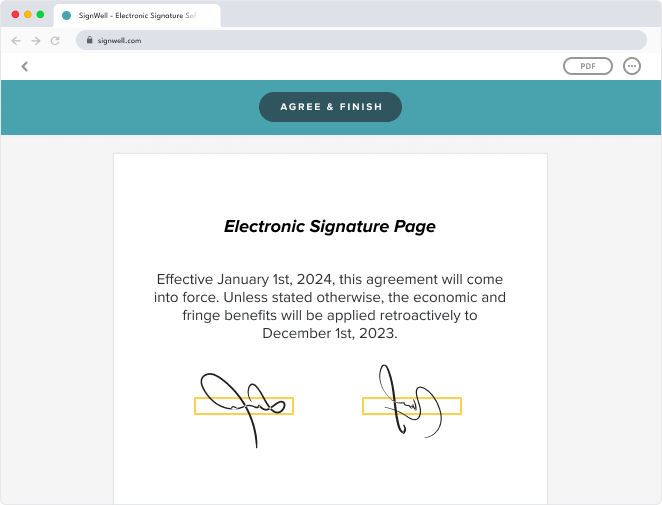
SignWell makes it simple to sign documents online. Just upload your file, add your signature, and you’re done in seconds.
Need others to sign? Send documents for signature and they’ll be guided step-by-step, making the process quick and easy for everyone. Every electronic signature is legally binding and fully compliant with U.S. and international eSignature laws, giving you total peace of mind that your documents are secure and valid.
Document Tracking
Get real-time insights and make smarter business decisions
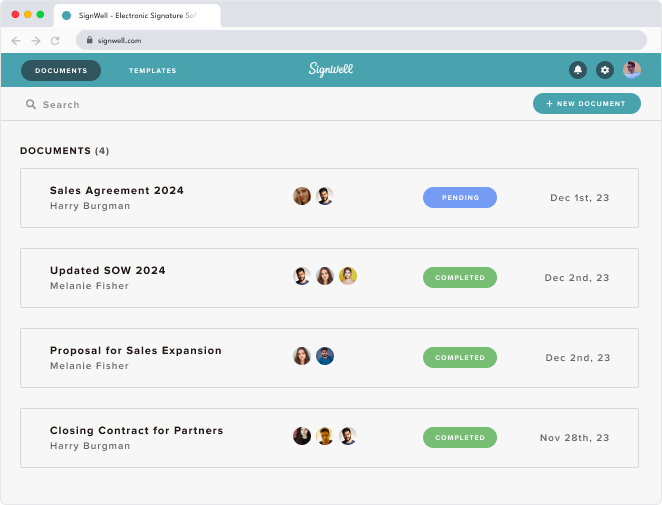
Know what’s happening with every document you send. Track who opened it, when they viewed it, and what actions they took. You’ll get instant notifications when a recipient views or signs, so you’re always up to date.
If someone opened your document but didn’t sign, you’ll see it right away, making follow-ups effortless. SignWell’s automatic reminders can handle this for you. You’ll have the insights you need to stay in control, speed up turnaround times, and close deals with confidence.
Templates
Easily create templates for frequently-used documents
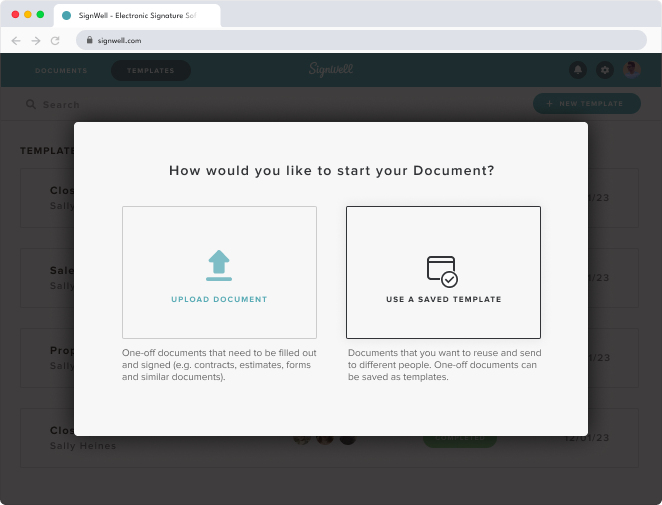
Save time on repeat paperwork by turning your most-used files into ready-to-send templates. Upload any document once, set it up as a template, and send it to anyone in just a few clicks.
Recipients are guided through each step, so every field gets completed correctly, and you’ll get your signed documents back faster. You can also track every template and access it from anywhere, keeping your documents organized and easy to find.
Audit Report
Protect your documents with legally binding electronic signatures
Sign confidently knowing every signature in SignWell is legally binding and fully compliant with U.S. and international eSignature laws.
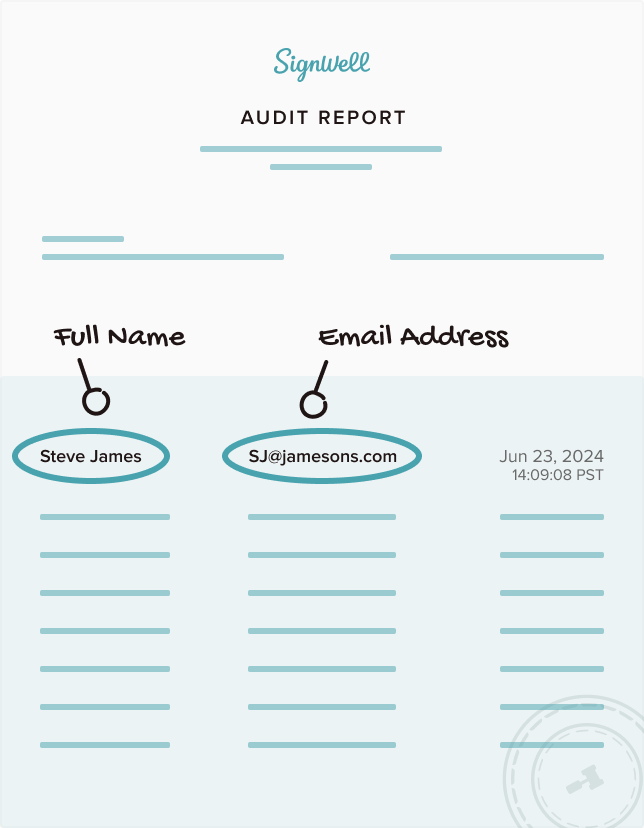
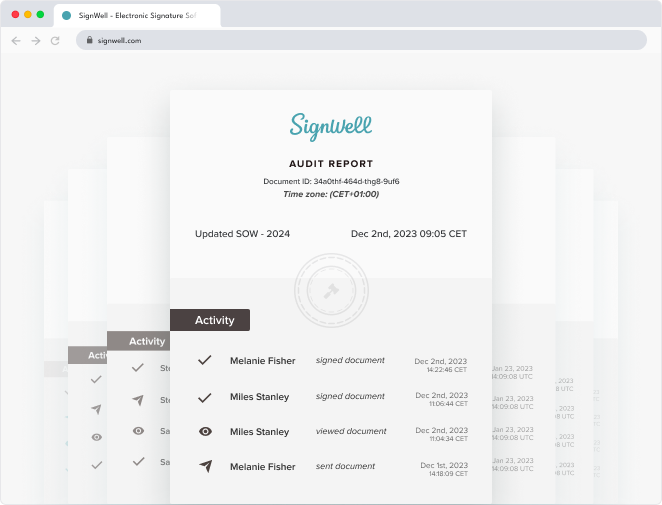
Each document includes a detailed audit report that records every action, from signatures and email addresses to timestamps and document changes, ensuring complete transparency and accountability. Your finalized documents are automatically archived, protected from edits, and come with a built-in audit trail attached for easy reference whenever you need it.
How does it compare with something like DocuSign?
SignWell consistently outperforms DocuSign and similar tools when it comes to ease of use, customer service, value, and more.
 Likelihood to Recommend
 Meets Requirements


Electronic Signature Creator FAQ
-
How many free document signings do I get with SignWell’s free plan?
With SignWell’s free plan, you can send up to 3 documents per month for signing at no cost. This includes basic features like simple templates and document tracking. If you need more, our paid plans unlock unlimited document signings, advanced branding, bulk sending, and automation tools.
-
Are SignWell's free electronic signatures legally valid?
Yes. All SignWell signatures comply with the ESIGN Act (U.S.), UETA, and EU eIDAS. Signed documents are encrypted, archived, and paired with a tamper-proof audit trail that records timestamps, IP addresses, and signer details. This ensures legal validity and enforceability in court.
-
Do recipients need a SignWell account to sign a free document?
No. Your recipients won’t need to register or download anything. They simply receive an email or secure link, follow guided steps to add their signature, and complete the process in minutes.
-
Does the free version include audit trails and security features?
Yes. Even with SignWell’s free plan, your documents are protected with encryption and locked after signing to prevent tampering. Our audit trail captures signer identity, timestamps, IP addresses, and actions taken, ensuring transparency. SignWell also complies with major standards like HIPAA and GDPR, and is SOC 2 Type II certified, making it a safe choice for confidential documents.
-
Is there any hidden cost to using SignWell’s free electronic signature?
No hidden fees at all. You can upload, sign, share, and download documents for free within the 3-document monthly limit.
-
Can I lock or certify documents after using SignWell’s free signature tool?
Yes. With the free tool, you can apply “Audit & Lock,” which appends a tamper-proof audit page and locks the file with a digital certificate from an Adobe-trusted vendor. This guarantees that the signed document cannot be altered.
-
Does the free electronic signature tool offer templates and customization?
Yes. The free plan gives you access to one reusable template for frequently signed documents. However, advanced customization, including full branding and personalization, unlimited and team-shared templates, is available only in paid plans.
-
How quickly can I use free document signing on SignWell?
Very fast. You can create a free account without a credit card, upload your documents, place signature fields, and send it out in just minutes.
-
How do I track documents signed with SignWell’s free plan?
The free plan includes real-time document tracking. You can see whether recipients have viewed or signed the document and receive automatic notifications once it’s completed. This makes it easier to follow up without manual reminders.
-
Can I sign documents offline with SignWell?
No, SignWell requires an internet connection to sign documents. Since it's a cloud-based service, it processes your uploaded document online.
-
Does the free document signing tool include auto-reminders for recipients?
Yes, our free plan includes automatic reminders. If a recipient hasn't signed yet, they will receive email prompts to complete the signing process. This feature helps hasten the document signing process without manual follow-ups.
Cut turnaround on getting documents signed by 40% with SignWell
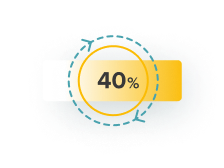
40% faster turnaround of online signatures on documents like contracts
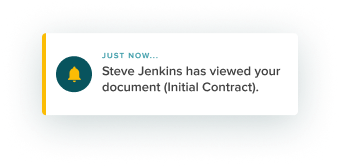
Instant notification and tracking, so you’ll know exactly when someone views your document

Easy to use, paperless documents and contracts that are 100% legally-binding

Need help setting up? We’re here to help
We’re available by email, phone, or over a Zoom call to support you whenever you need it.