Sign Documents Online for Free
Sign PDFs, Word docs, contracts, and forms online for free. No account needed.
Include an audit page and digitally encrypt the document with an Adobe trust list digital certificate for compliance and tamper-proofing.


The free online document signer for PDFs, contracts, and forms.
SignWell is a free document signing tool for one-off documents. Upload a file, add your electronic signature, and send it for signing, with no software to install and no account required.
How can I electronically sign a document online (for free)?
UPLOAD YOUR FILE
Upload any document you'd like to e-sign, a PDF, Word doc, contract, or form. File types can include MS Word, PDF, and images such as JPGs or PNGs. Upload up to 3 files, and we'll group them into a single document for you to sign.
FILL OUT AND SIGN
Once your document is uploaded, you'll see a preview where you can drag and drop your signature, initials, dates, and other field types. Sign, date, and fill out the document online in your browser.
DOWNLOAD SIGNED FILE
After you've signed your document, you'll be able to download the completed document. All document data is processed securely and your information is kept private. We automatically delete your document and data after download.
What makes documents e-signed with SignWell compliant?
Signatures created with SignWell comply with the US and international eSignature laws, such as the E-Sign Act and the Uniform Electronic Transactions Act (UETA)
FAQs
-
How are documents signed online with SignWell legal?
SignWell records key details of the signing process, including who signed, when they signed, and the activity associated with the document. Each completed document includes an audit trail, and SignWell takes steps to ensure the document is not altered. Together, these records and safeguards help establish the authenticity and legal validity of the signature. This provides a clear record for online document signing, whether it involves a contract, form, or other digital document.
-
What types of files can I sign here?
You can upload and sign MS Word, PDF, PNG, JPG, JPEG, TIFF, and GIF files. A maximum of 3 files up to 25MB in size each are allowed. You can mix and match file types, we'll take care of converting them to a single document for signing. After they've been signed you'll end up with a single PDF version of your document to download. To ensure smooth processing of your document files, you'll want to make sure your files are not password protected so that they can be accessed as needed. Our other free tool makes it easy to exclusively sign PDFs.
-
What's the purpose of the "Audit & Lock" setting?
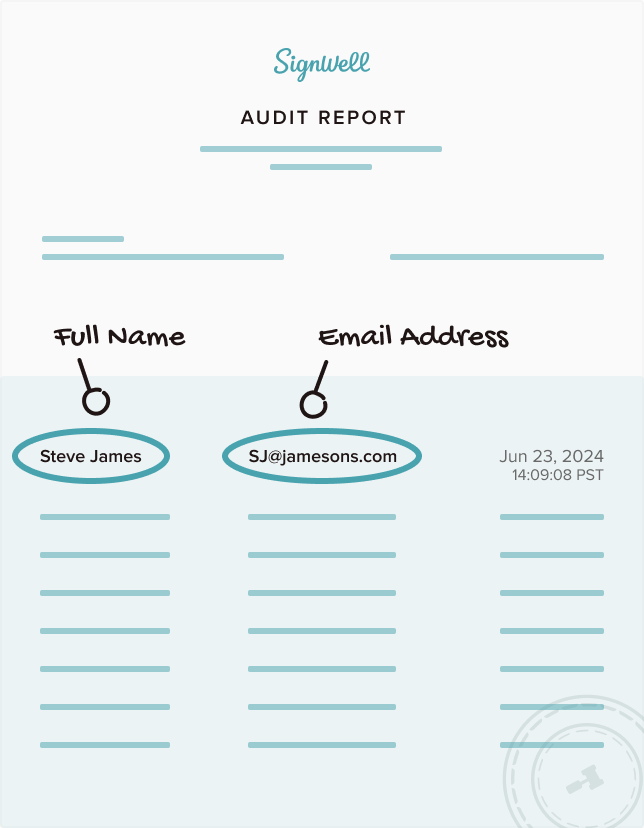
The "Audit & Lock" feature adds a page at the end of your document. This page contains an audit trail of the signing process. This audit trail consists of names, email addresses, IP address information, timestamps, and more. The final completed PDF will also be locked and encrypted with a digital certificate from an Adobe Approved Trust List vendor. This prevents tampering of any kind with the signed document. When you open your completed document you'll be able to see that it was digitally signed and inspect the digital certificate used in the process.
-
What measures do you take to ensure my privacy?
As covered in the question regarding the legality of documents signed with SignWell, we follow all data protection requirements as they pertain to SOC 2 Type (Security, Availability, and Confidentiality) and HIPAA compliance. In addition to those safeguards, we also automatically delete the data you've entered as well as any uploaded files from our servers. SignWell is also compliant with the principles of the GDPR. IP address and other information that's needed for e-sign compliance is tracked and recorded within the documents signed, but then discarded from our servers after you've downloaded your signed document. Additional privacy details found here and on our privacy page.
-
How is SignWell free for document signing?
Free online document signing is available to anyone who needs it. You can sign documents for free with no credit card required. If you need more documents or additional features, you can upgrade to one of SignWell’s paid plans.
-
Can I sign a contract or form online?
Yes. You can upload contracts, forms, PDFs, Word docs, and support image files, then add your signature, initials, dates, and other fields directly in your browser.
-
Do the people I send documents to need an account?
No. Recipients can review and sign documents without creating a SignWell account.
Security and Compliance
Documents signed with SignWell are secure and compliant with both US and international laws, so you can rest easy:







Need help setting up? We’re here to help
We’re available by email, phone, or over a Zoom call to support you whenever you need it. Support is included on every plan. No tiers, no enterprise contract required.